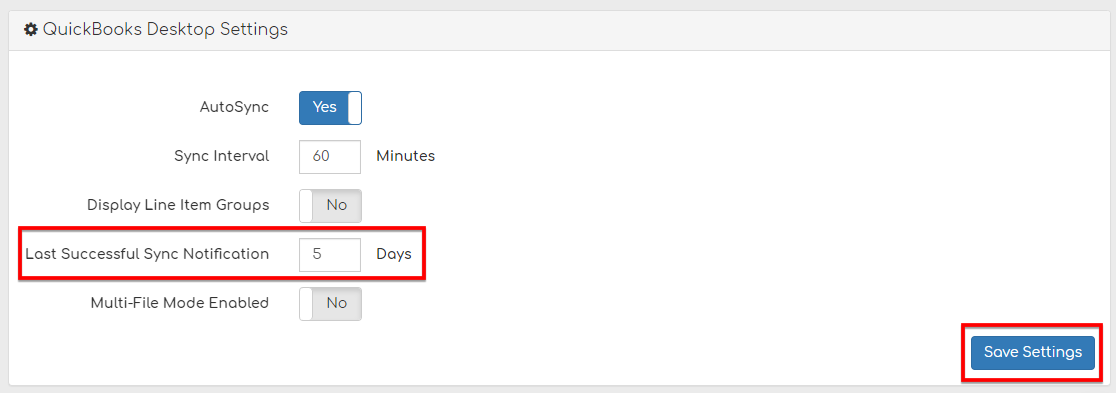
You can change the settings for when you receive notifications as to how many days it has been since your last sync was successful.
Step 1
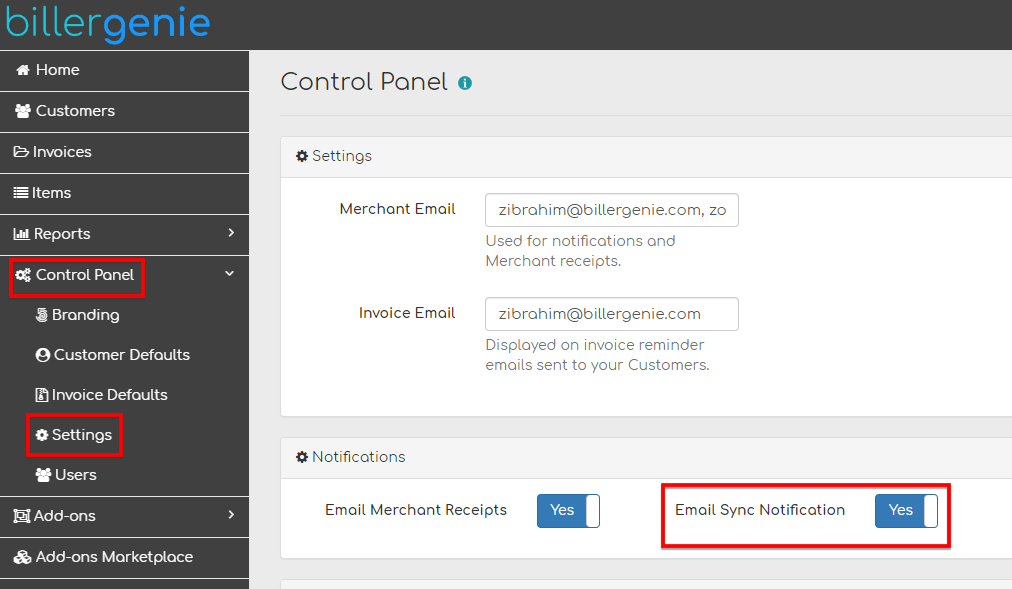
Go to Control Panel > Settings > and Enable Sync Notifications.
Step 2
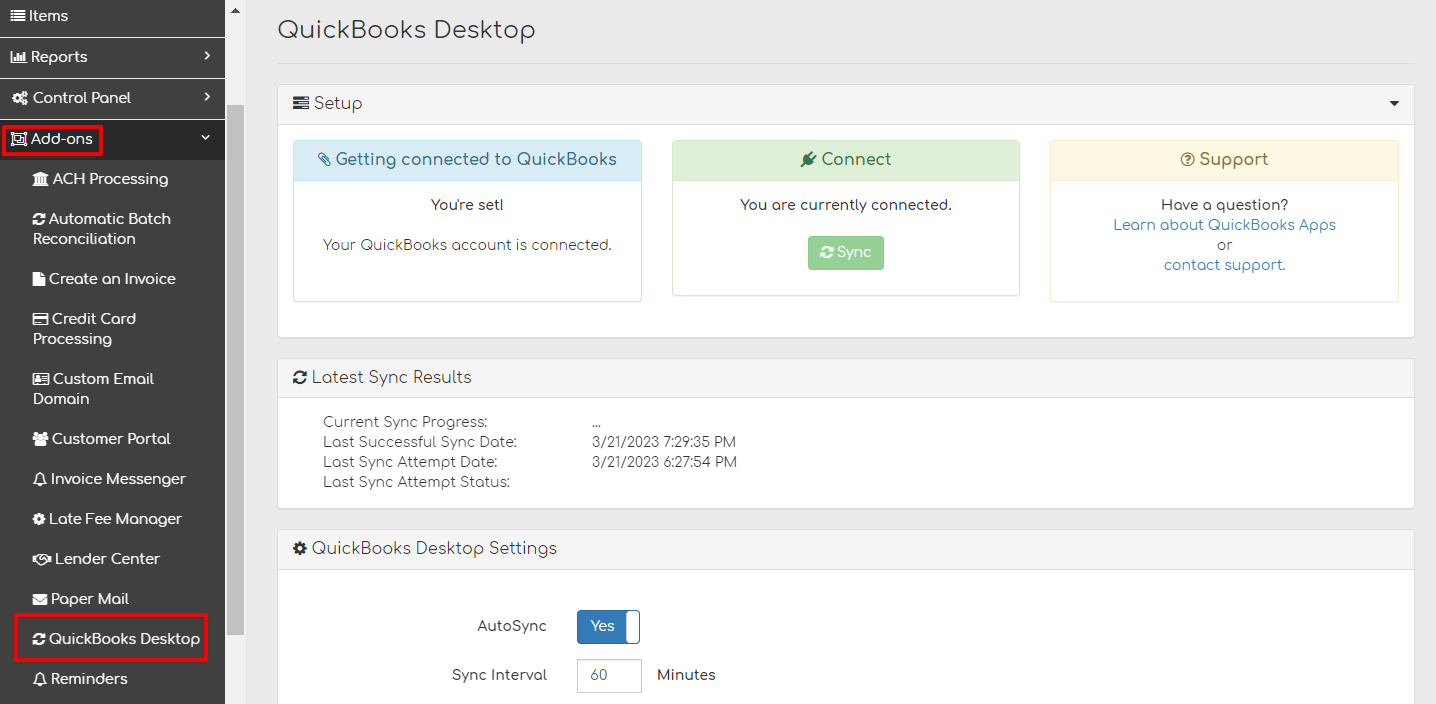
Go to Add-ons and select your accounting software.
Step 3
Go to your accounting software’s settings > Last Successful Sync Notification,
Set how many days after your last successful sync you wish to be notified and click Save Settings.