Connecting Biller Genie to TheraManager
Table of Contents
Overview
To process payments in TheraManager using Biller Genie, you must first connect the two systems.
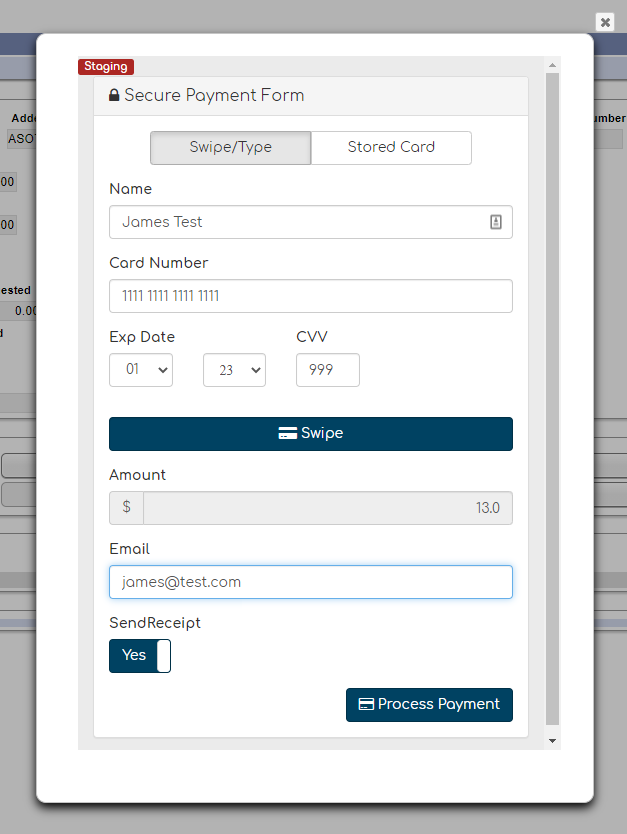
Once connected, TheraManager will display a Biller Genie payment pop-up when posting payments for patients.
How To Connect
Step 1
Log in to your Biller Genie account.
Step 2
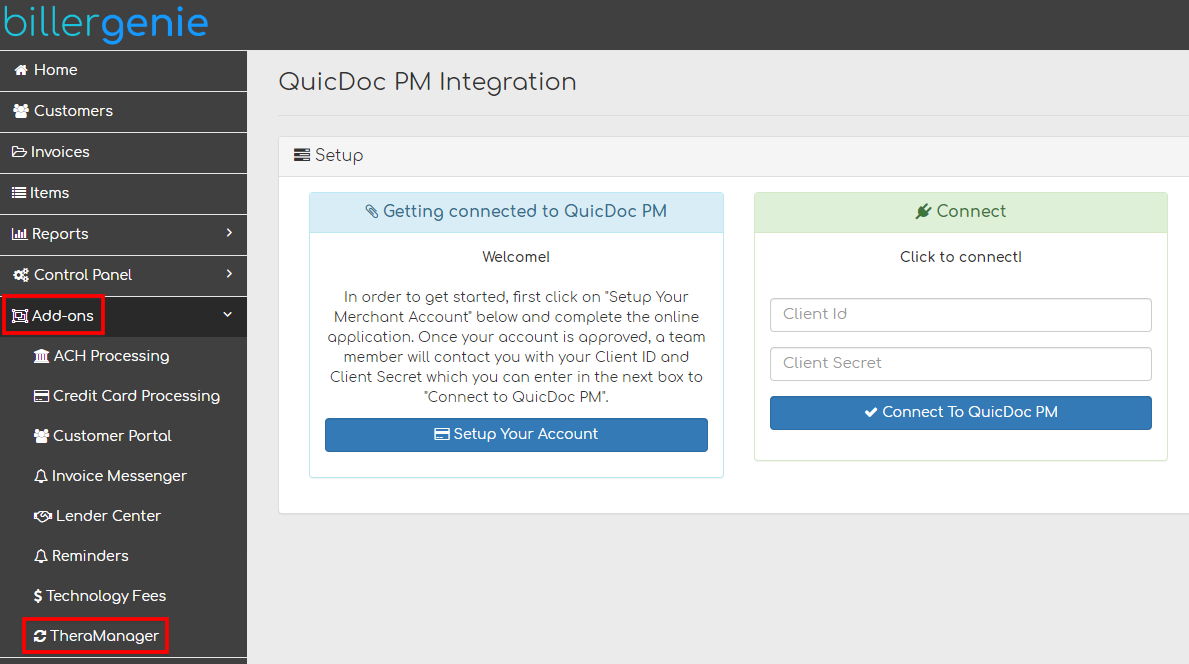
Navigate to:
Add-Ons > TheraManager
Step 3
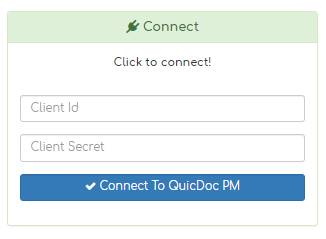
Enter your QuicDoc PM Client ID and Client Secret.
Click Connect to QuicDoc PM.
Once successfully connected:
- Your TheraManager account will be integrated with Biller Genie.
- A Biller Genie payment pop-up will appear when processing payments in TheraManager.
- You will be able to run transactions using new or stored payment methods.
Running a Payment After Connecting
- Open a patient record in TheraManager
- Select Post Payment
- Choose to process the payment
- The Biller Genie pop-up will appear
- Enter card information or select a stored payment method
Still Having Trouble?
If the pop-up does not appear or the integration fails, contact the Biller Genie support team at support@billergenie.com and include the following details:
- Confirmation that the integration is connected under Add-Ons
- Any error messages displayed
- Whether this is a new connection or previously working setup