
Overview
Payment Schedules allow you to automatically charge a customer on a recurring basis.
You can configure the amount, frequency, duration, and receipt preferences when creating a schedule.
How To Create a Payment Schedule
Step 1
Log in to your Biller Genie account.
From the main menu, navigate to:
Reports > Schedules
Click Create Schedule.
Step 2
Begin typing the name of the customer.
As you type, the customer’s name will auto-populate in the dropdown menu.
Select the appropriate customer.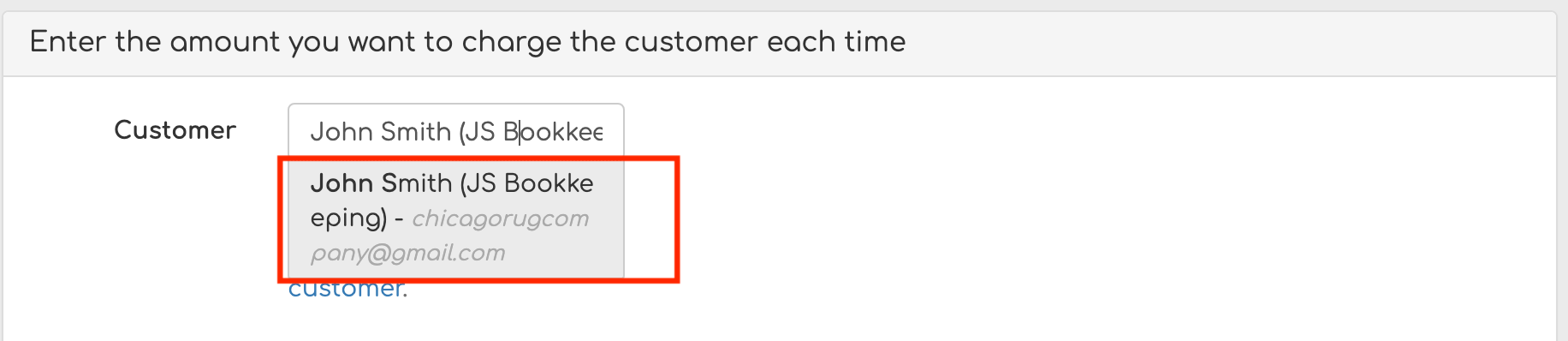
Step 3
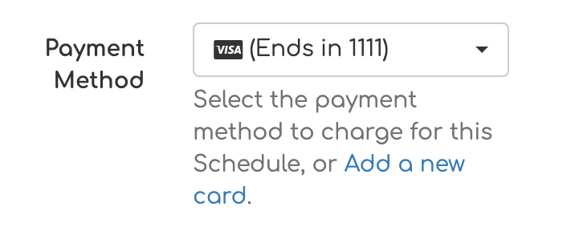
Choose the preferred Payment Method for the schedule.
Enter the Payment Amount that will be charged each time the schedule runs.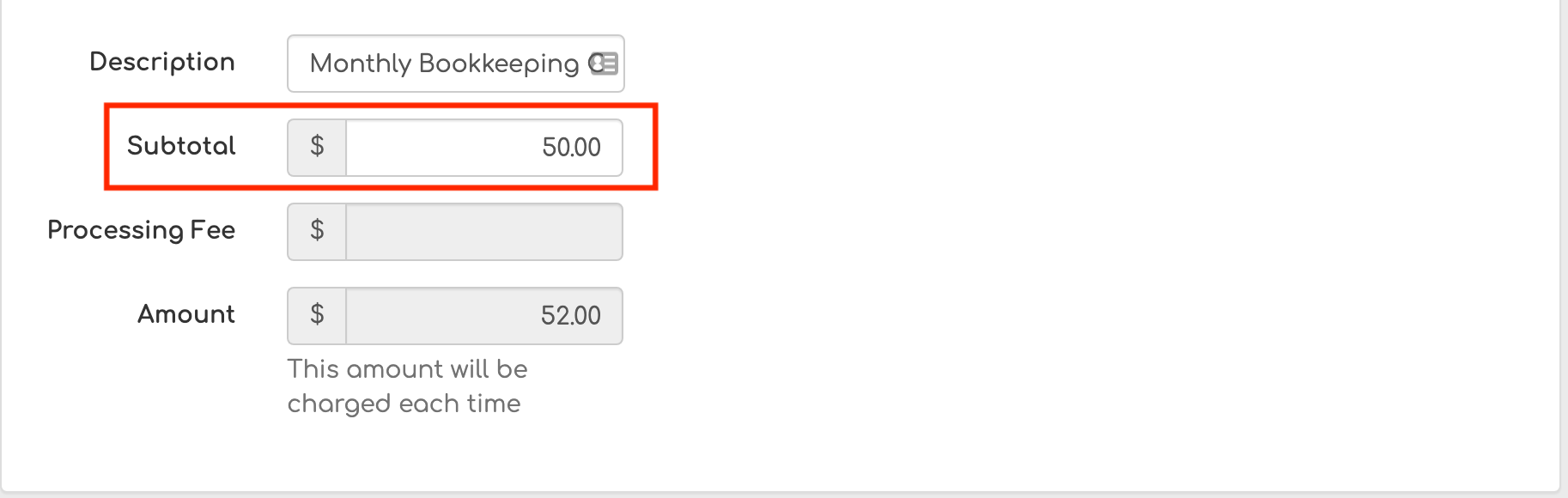
Step 4
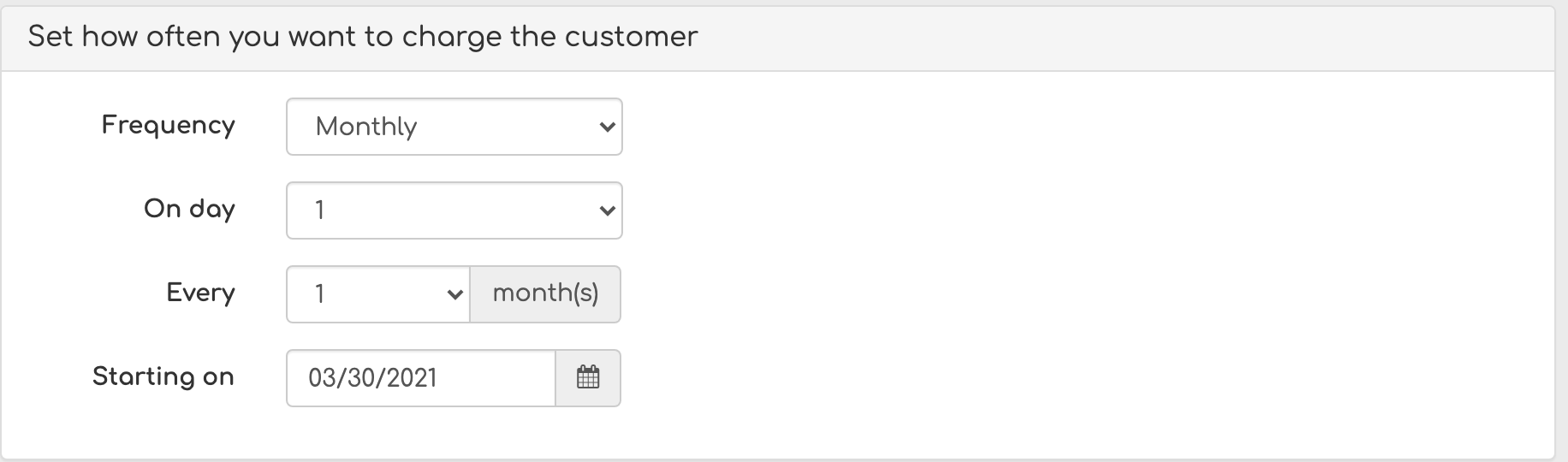
Select the Frequency of the charge.
Examples include:
- Daily
- Weekly
- Monthly
Step 5
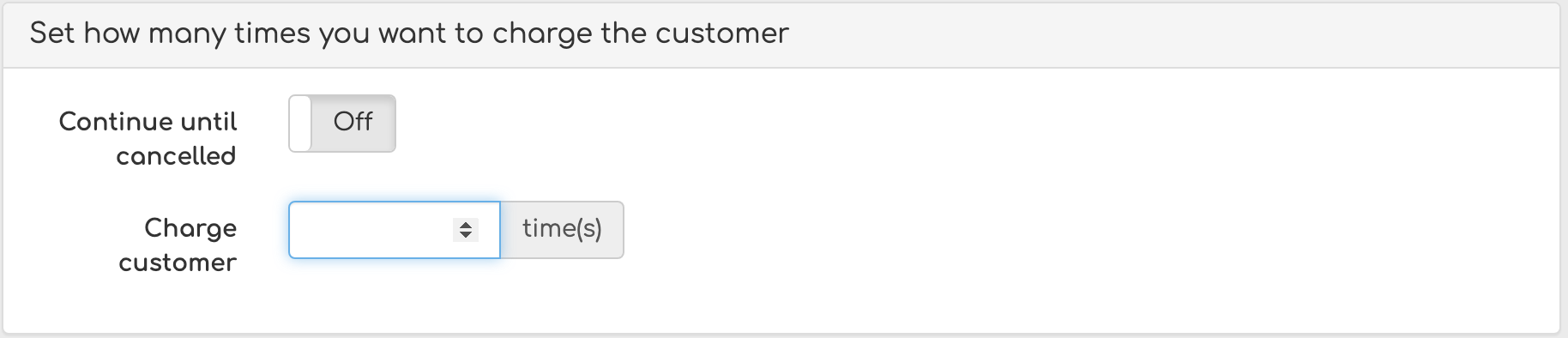
Set the Duration of the schedule.
You can choose to:
- Continue charging until the schedule is manually canceled
- Charge a specific number of times
Step 6
Configure receipt preferences.
Toggle receipt settings from Off to On if you would like:
- The merchant to receive a receipt
- The customer to receive a receipt
Once all fields are completed, select Create Schedule to activate it.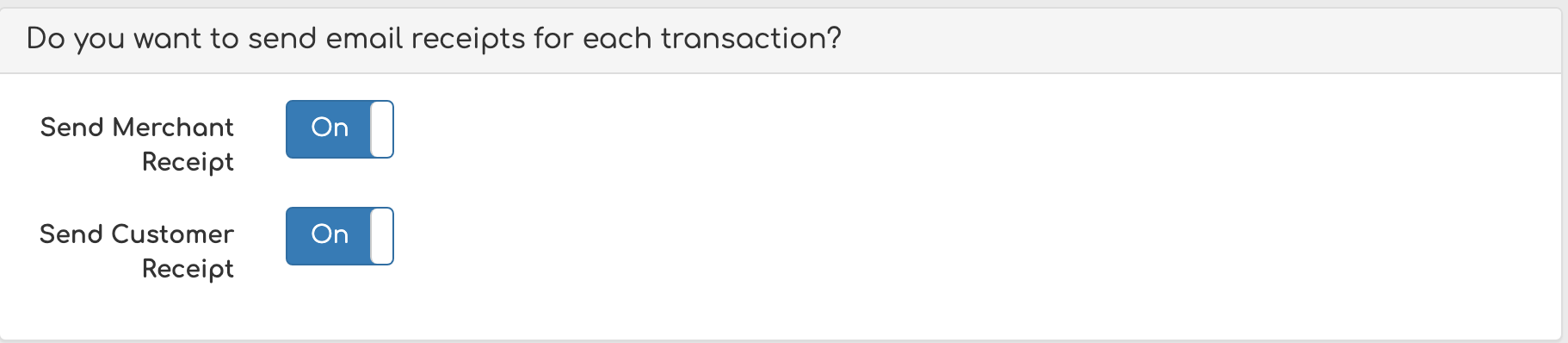
Important Notes
- The customer must have a valid stored payment method on file before creating a recurring schedule.
- Schedules can be edited or canceled at any time from the Schedules section.
- Ensure the correct payment method is selected before saving.
When the first payment will run
Payment schedules require at least 24 hours of lead time, so the earliest date you can choose for the first payment is tomorrow. Same-day scheduling is intentionally not allowed. If you pick tomorrow's date for a monthly recurrence, the first payment runs tomorrow and then repeats on that day of the month going forward.
Still Having Trouble?
If you are unable to create a payment schedule, contact the Biller Genie support team at support@billergenie.com and include the following details:
- Customer name
- Payment method selected
- Frequency and amount
- Any error messages displayed
Providing this information will help our support team assist you as efficiently as possible.