
Overview
If your merchant service provider has issued you gateway credentials, you can connect your existing ACH gateway directly to your Biller Genie account.
This article walks through how to connect your gateway and verify that ACH processing is enabled.
How To Connect Your ACH Gateway
Step 1
Log in to your Biller Genie account.
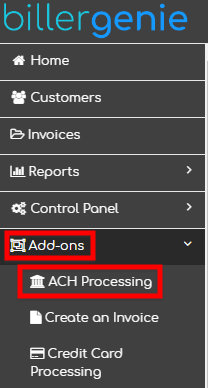
Navigate to:
Add-Ons > ACH Processing
Step 2
Click Continue under the tile labeled:
I have an ACH processor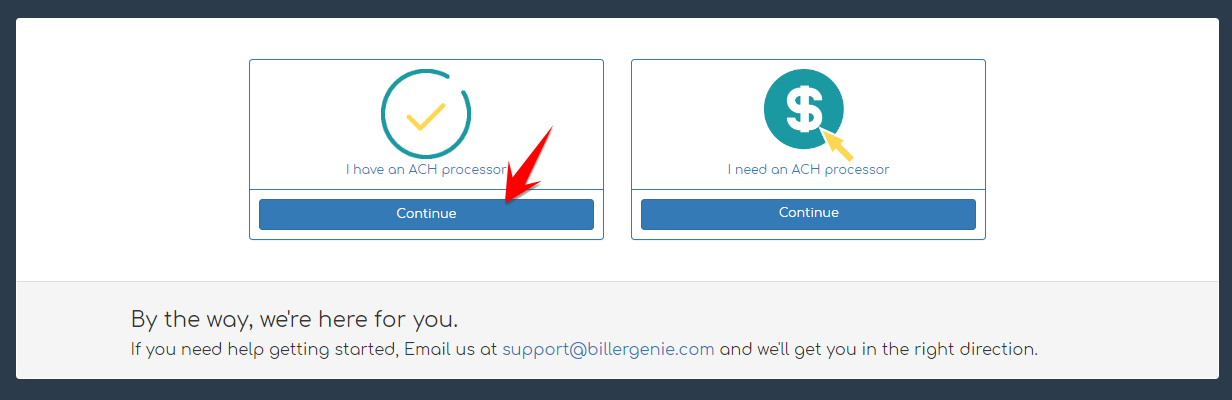
Step 3
Select the gateway your merchant service provider has configured for your account.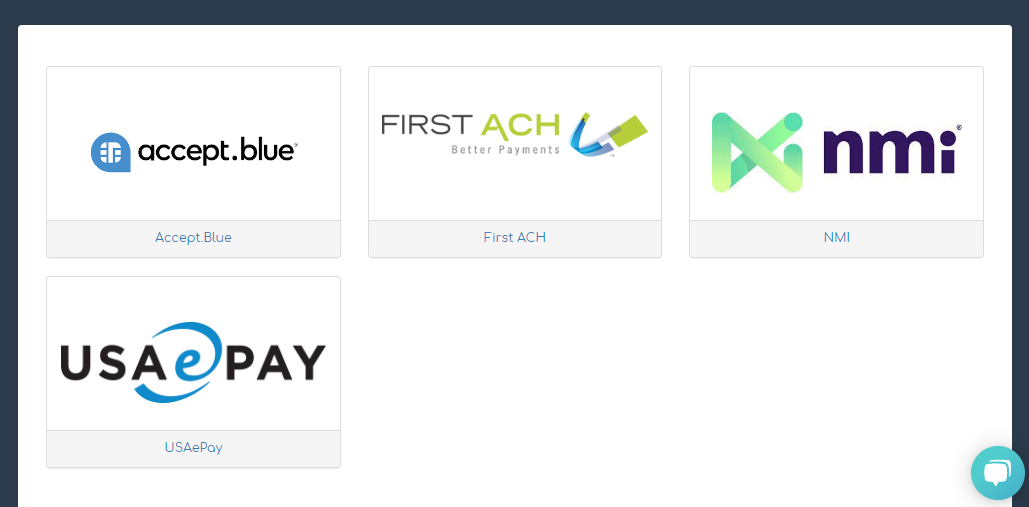
The gateway options displayed may vary depending on your merchant service provider. If you are unsure which option to select, contact your merchant service provider before proceeding.
Step 4
Enter the gateway credentials provided by your merchant service provider and click Connect.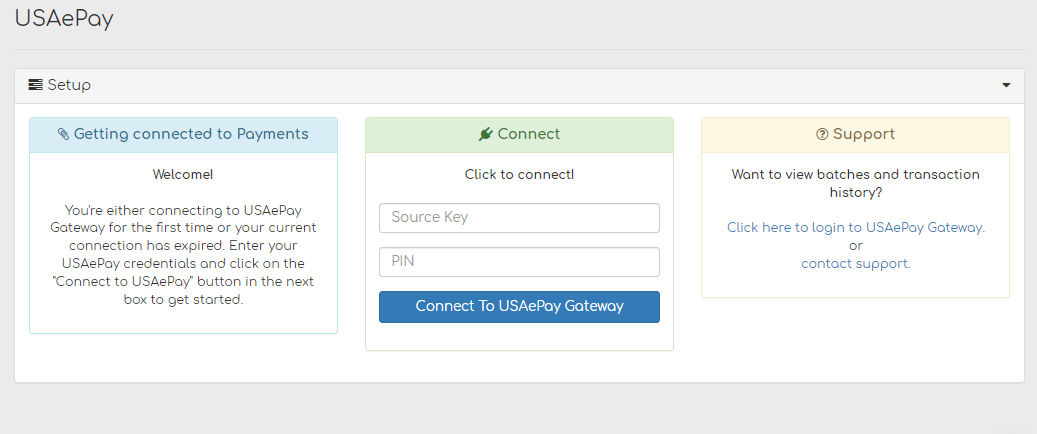
Each gateway has unique credential requirements. These credentials are not the same as your Biller Genie login username and password. They are typically API keys, terminal IDs, or other connection-specific values provided by your processor.
When entering API keys, ensure there are no extra spaces before or after the key. This commonly happens when copying and pasting credentials and can cause connection errors.
Step 5
After connecting, verify that ACH payments are enabled.
Navigate to:
Control Panel > Customer Defaults
Confirm that Allow ACH Payments is set to Yes.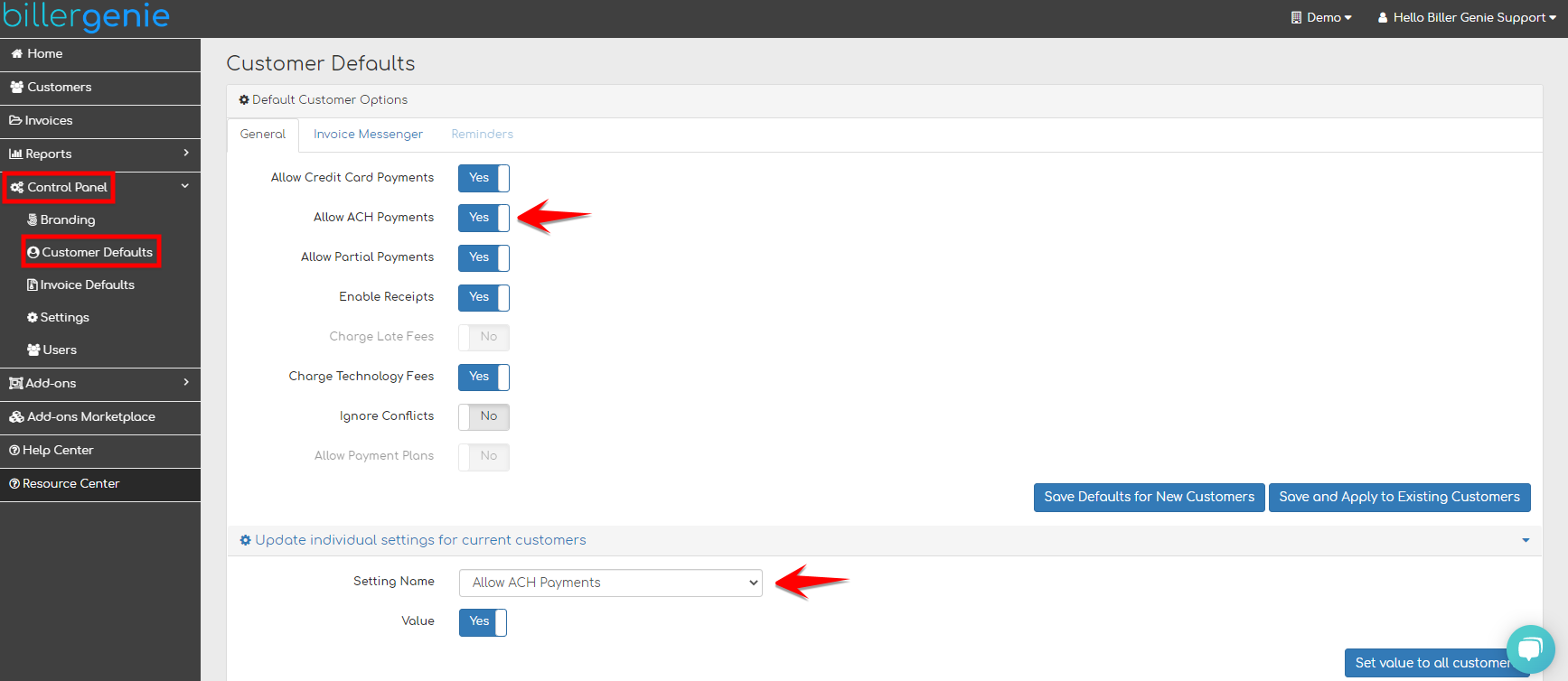
Still Having Trouble?
If you are unable to connect your ACH gateway, contact the Biller Genie support team at support@billergenie.com and include the following details:
- The name of your gateway
- Confirmation that credentials were provided by your merchant service provider
- Any error messages displayed during connection
Providing this information will help our support team assist you as efficiently as possible.